
Zapier and spreadsheets are popular because they let teams automate work quickly without coding. They are fast to set up, cheap, and seem perfect for early-stage workflows.
Initially, this works well—10 workflows can run smoothly, and teams save time; however, once the organisation expands, the same setup struggles with 50, 100, or more workflows.
The core issue is that off-the-shelf automation tools like Zapier aren’t built for scale. They have limits on volume, error handling, and complex logic, which can slow teams down and create mistakes. These are common Zapier limitations that become obvious only as usage increases.
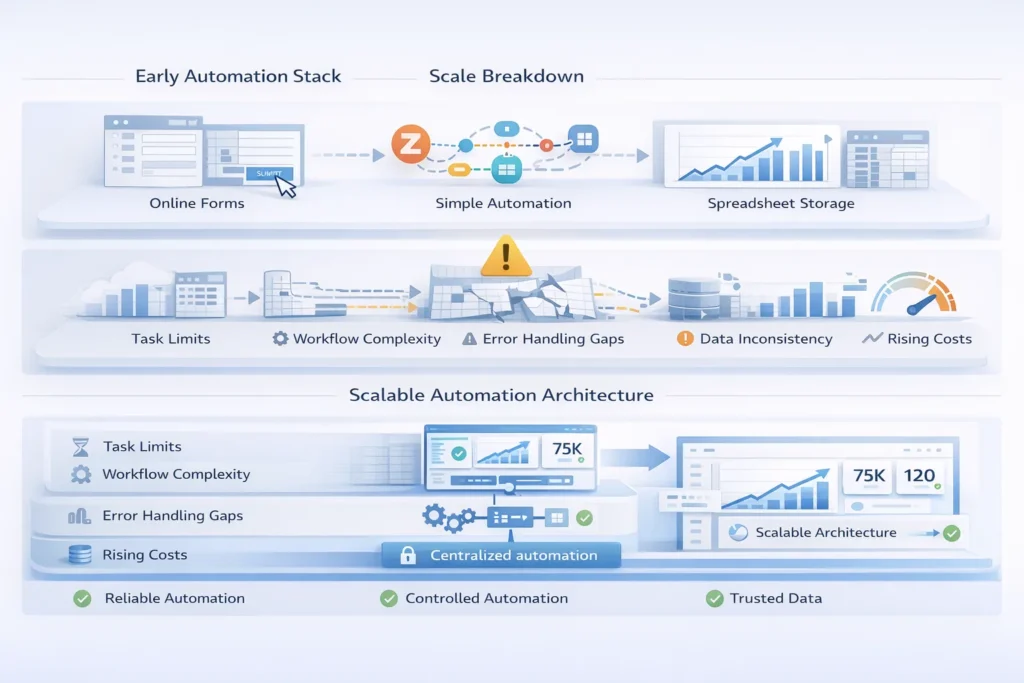
Growing businesses often use form automation tools like Zapier to handle form submissions, route leads, manage approvals, or sync data between apps.
Spreadsheets quickly become the “database of record” because they store all the information in one place and are easy to update.
At first, these setups seem efficient. Teams can automate simple tasks without coding, and everything appears organised. However, as the number of automated workflows grows, the limitations of spreadsheets and Zapier become evident and make it increasingly difficult for users to manage spreadsheet based processes, making it harder to manage and prone to errors as well.
Zapier works well for small workflows, but Zapier scalability issues appear as usage grows. Task limits can make it expensive, and high volumes often cause delays, throttling, or failed runs.
Error handling is basic, and retrying failed tasks can be tricky. Multi-step workflows are also hard to manage, especially when processes become complex. This makes it difficult for growing businesses to rely on Zapier and spreadsheets for larger-scale operations.
Spreadsheets seem simple, but spreadsheet automation limits appear as teams grow. When multiple people edit the same file, version control issues and accidental overwrites become common.
When a company has large datasets, it can make spreadsheets lag or even crash, which in turn can lead to a loss of efficiency and frustrate teams who rely on real-time data.
Spreadsheets don’t provide the same validation, governance, and audit trails. Without these, teams have a difficult time tracking changes, identifying and preventing errors, and ensuring that the data is accurate; therefore, spreadsheets cannot be relied upon to manage complex automated workflows.
You might notice signs you outgrow Zapier when automations start failing silently, causing tasks to be missed without anyone realising. Teams may spend more time fixing errors manually than actually working, which defeats the purpose of automation.
Another sign is rising Zapier bills without matching value. As workflows multiply, costs grow fast, yet the benefits don’t keep up. Teams may also create duplicate or conflicting Zaps, which leads to confusion and more errors.
Finally, if leadership begins to lose trust in the data produced by automation, it shows that Zapier stops working for your business at scale. This is a clear signal that it’s time to move to a more reliable, scalable system.
Zapier, in comparison with custom automation, is simple to set up, low cost, and suitable for simple workflows. It, however, struggles with complex processes, large volumes, and proper governance.
Zapier still makes sense for small teams or simple automations where speed matters more than scale.
Automating manually intensive or repetitive tasks becomes necessary when workflows are complex, data volumes grow, or stricter controls are needed. Businesses should invest in custom automation to improve their growth opportunities.
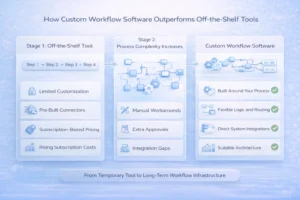
Off the shelf automation tools are designed for generic use cases, not for specific business needs. This makes them hard to adapt as processes become more complex.
They offer limited customisation and weak data modelling, which makes workflow automation at scale challenging. Handling complex approvals, exceptions, or compliance rules is difficult.
These tools also struggle with legacy systems or strict IT environments. As a result, businesses often hit limits in flexibility, control, and reliability when trying to scale automation across the organisation.
When Zapier isn’t enough, it’s time to explore alternatives to Zapier for business that can scale and support business growth and productivity. Custom internal apps let you automate complex tasks within your workflow reliably, as opposed to a spreadsheet.
Replacing spreadsheets with centralised databases keeps data accurate as well as reduces manual work. Adding purpose-built automation layers helps manage approvals, exceptions, and other critical processes.
For reporting and monitoring, BI dashboards like Power BI provide real-time insights, replacing slow spreadsheet reports. Together, these solutions give teams more control, accuracy, and efficiency as business workflows grow—often implemented with trusted process automation services.
A better setup for workflow automation at scale connects forms to custom app logic, records data in a centralised database, and uses BI dashboards for reporting, with controlled automation handling repetitive tasks.
This approach reduces failures and manual intervention because processes are clear, rules are enforced, and data flows smoothly between systems.
Dashboards provide visibility, allowing teams and leadership to trust the data and spot issues early. With this architecture, businesses can scale workflows confidently while keeping accuracy, efficiency, and control at the centre of operations.
Growing businesses can switch to better systems using automation tools for growing companies without disrupting work. A phased migration approach works best.
Start with the most critical Zap or spreadsheet and rebuild it in the new system. Run both the old and new processes side-by-side for a short period until you identify any issues.
Once the new system is stable, gradually retire the old workflows. Doing so will help maintain productivity, reduce errors, and ensure a smooth transition to more reliable automation.
Zapier is great for early automation because it’s fast, easy to use, and low-cost. However, as your business grows, you may experience challenges with Zapier’s scalability due to the increasing number of workflows, a greater chance of errors, and spreadsheets just can’t keep up.
Using custom automation and BI dashboards gives reliability, control, and prepares the business for growth. This approach ensures teams can scale operations without constant manual fixes or failed automations.